

Best Budget WiFi Router for a 3-Bedroom House in Kenya With Many Devices
The best budget WiFi router for a 3-bedroom house in Kenya with many devices is usually not one router at all. For a single-storey home with moderate use, a dual-band router like the RG-EW1200 1200M Dual-band Wireless Router (KSh 3,800) is the cheapest sensible start. If you have 15 or more devices, thick walls or two floors, a better approach is a router that handles traffic plus one or two access points placed where you need coverage. This guide explains how to decide, what to buy at each budget, and the mistakes that make cheap setups feel slow.
Why "many devices" changes the answer
A typical Kenyan 3-bedroom home can easily have phones, laptops, smart TVs, a decoder or streaming stick, a few CCTV cameras, smart plugs and a tablet or two. Each device keeps a connection open, and many of them are chatty even when idle. Cheap single-band routers cope badly with this because all devices share one crowded 2.4GHz channel.
Three things matter more than the headline speed number on the box:
- Dual-band support. 5GHz is faster and less congested, which helps when many devices are active at once.
- Coverage. Concrete and stone walls absorb signal. One router in the living room often leaves the far bedroom weak.
- Router quality for handling connections. A weak CPU struggles with many simultaneous connections, no matter what speed is advertised.
Step 1: Check your internet line first
No router can create bandwidth you are not paying for. If your fibre or wireless plan is 10 Mbps shared among 20 devices, a KSh 30,000 router will not fix it. Before buying, run a speed test with a laptop plugged in by cable. If the cable result is good but WiFi is poor, the router or placement is the problem, and spending makes sense.
If your home gets internet through a fibre ONT, you may already have a combined router supplied by your ISP. Often the cheapest upgrade is keeping that unit for the connection and adding better WiFi behind it.
Step 2: Pick the setup that matches your house
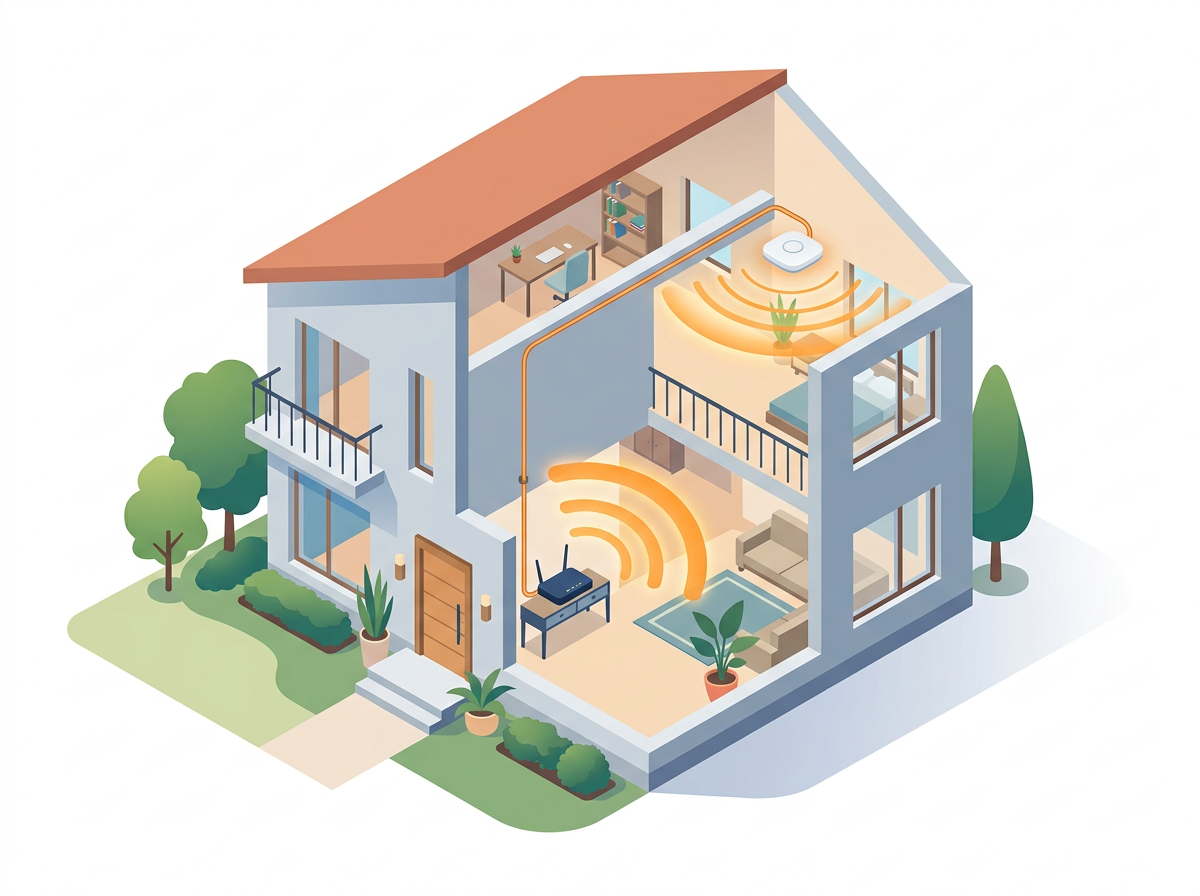
Small or open-plan home, up to about 15 devices
The RG-EW1200 1200M Dual-band Wireless Router at KSh 3,800 gives you 2.4GHz and 5GHz in a very low-cost package. Place it centrally, away from the kitchen and metal objects, and put streaming devices and laptops on 5GHz. It is a sensible choice for apartments and compact 3-bedroom homes.
The RG-EW300N 300Mbps Wireless Smart Router at KSh 2,600 is cheaper, but it is a 300Mbps class unit aimed at light use. With many devices, we would treat it as a secondary or guest router rather than the main one.
Typical 3-bedroom home with thick walls
Here, a single router rarely covers everything. Two lower-cost options work well:
- Keep a basic router at the entry point and connect an access point by cable to the far end of the house.
- Use a ceiling access point such as the RG-RAP2260(G) Reyee Wi-Fi 6 AX1800 Ceiling Access Point, which mounts neatly and spreads signal evenly through a few rooms.
Running a network cable is the part many people avoid, but it makes the biggest difference. A wired link between router and access point gives far better results than wireless repeaters, which halve throughput on the repeated hop.
Many devices and you want reliability
If the household works from home, runs CCTV, and streams in several rooms at once, a more capable router is worth it. The Mikrotik hEX S RB760igs at KSh 12,000 has gigabit ports and handles lots of connections, but it has no WiFi of its own. You pair it with an access point. This is the more technical route, though it rewards you with control: you can limit bandwidth per device, prioritise work laptops and see what is eating your data.
Want WiFi built in? The Mikrotik L009UiGS-2HaxD-IN at KSh 18,000 combines a capable router with WiFi 6 (ax) wireless. It is the pricier option, but it is one box instead of two. Browse the Mikrotik routers collection to compare current models.
Budget examples
These are illustrative combinations using Centipid Shop list prices. Check the product pages for current stock and pricing.
| Home situation | Suggested setup | Approx. cost |
|---|---|---|
| Compact home, light-to-moderate use | RG-EW1200 | KSh 3,800 |
| Larger home, some walls | RG-EW1200 plus a second EW1200 as a wired access point (configure it as an AP, not a second router) | KSh 7,600 |
| Many devices, wanting control | hEX S RB760igs plus a Reyee ceiling access point | KSh 12,000 plus access point price |
The second row assumes you configure the extra unit correctly, which is a task for someone comfortable with router settings. If you are unsure, ask before buying.
Wi-Fi 5 vs Wi-Fi 6 on a budget
Wi-Fi 6 handles many simultaneous devices more efficiently, which is exactly your situation. But it only helps if your devices support it. Many older phones, smart TVs and laptops in Kenyan homes are still Wi-Fi 5 or older, so they will connect, just without the extra benefit. If you are spending as little as possible, a good dual-band Wi-Fi 5 setup with sensible placement beats an expensive Wi-Fi 6 router sitting in the wrong corner. If you plan to keep the gear for years, Wi-Fi 6 is a reasonable future-proofing choice.
Placement tips that cost nothing

- Put the router high and central, not on the floor or inside a TV cabinet.
- Keep it away from microwaves, cordless phones and large metal surfaces.
- Put devices that do not move, such as smart TVs, on a cable if possible. This frees WiFi capacity for phones.
- Split networks sensibly: name 2.4GHz and 5GHz differently if some smart devices fail to connect.
- Change default passwords and use WPA2 or WPA3 so neighbours are not sharing your bandwidth.
Power cuts and your router
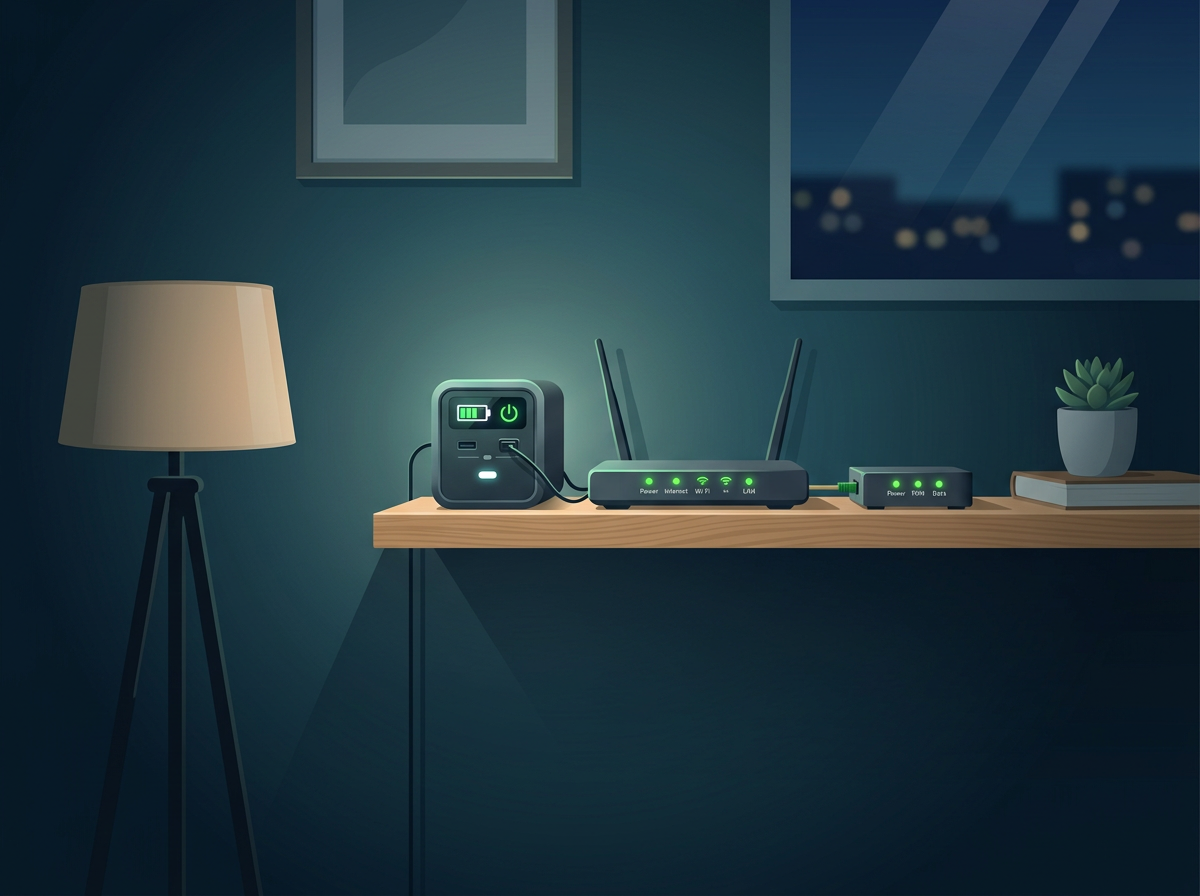
In Kenya, an outage often means no internet even if your line is fine, because the router and ONT lose power. A small battery backup keeps them running. For a router and fibre ONT, a compact power station is plenty; see the Hithium HeroEE collection or the 1kWh options if you also want to keep lights and a TV on. It is optional, but it can matter more for daily reliability than the router model itself.
What to avoid
- Range extenders as a first fix. They are cheap but often make connections slower and less stable.
- Judging by antenna count. More antennas do not guarantee better coverage.
- Buying on speed figures alone. Numbers like 1200M are combined theoretical rates across bands, not what one phone will get.
- Placing everything at the ISP's installation point if that is a corner or store room. Ask for the ONT to be moved or run a cable.
Where Centipid Shop fits
Centipid Shop stocks entry-level Reyee routers, Mikrotik routers and Reyee and other access points, so you can start small and add coverage later without replacing everything. Delivery is estimated at 1-2 days, and returns are accepted within 2 days of purchase, with duties and taxes non-refundable. If you are choosing between a one-box router and a router-plus-access-point setup, contact us with your floor plan and device count.
FAQ
What is the cheapest router that can handle many devices?
The RG-EW1200 at KSh 3,800 is the lowest-cost dual-band option we would suggest for a home. For 20 or more active devices or a larger house, add an access point or step up to a Mikrotik-based setup.
Do I need a mesh system for a 3-bedroom house?
Not necessarily. A wired access point usually works better and costs less than a typical mesh kit. Mesh helps when you cannot run any cable.
Is Wi-Fi 6 worth it on a budget?
It is worth it if you have many compatible devices or plan to keep the gear for several years. Otherwise, good placement and a dual-band router come first.
Can a Mikrotik router replace my ISP router?
In many setups, yes, but it depends on how your ISP delivers service. Fibre ONTs often need to stay in place, with your own router connected behind them. Confirm with your provider before swapping.
How many devices can a home router handle?
There is no single number. It depends on the router hardware, how active the devices are and your internet speed. Light smart devices use little; streaming and video calls use much more.
How long does delivery take from Centipid Shop?
Estimated delivery time is 1-2 days.